How to replace the brake pads on a 1970 Dodge Challenger R/T?
Replacing the brake pads on a 1970 Dodge Challenger R/T is an essential maintenance task that ensures safe and efficient braking. Worn brake pads can cause reduced braking efficiency, squealing noise…
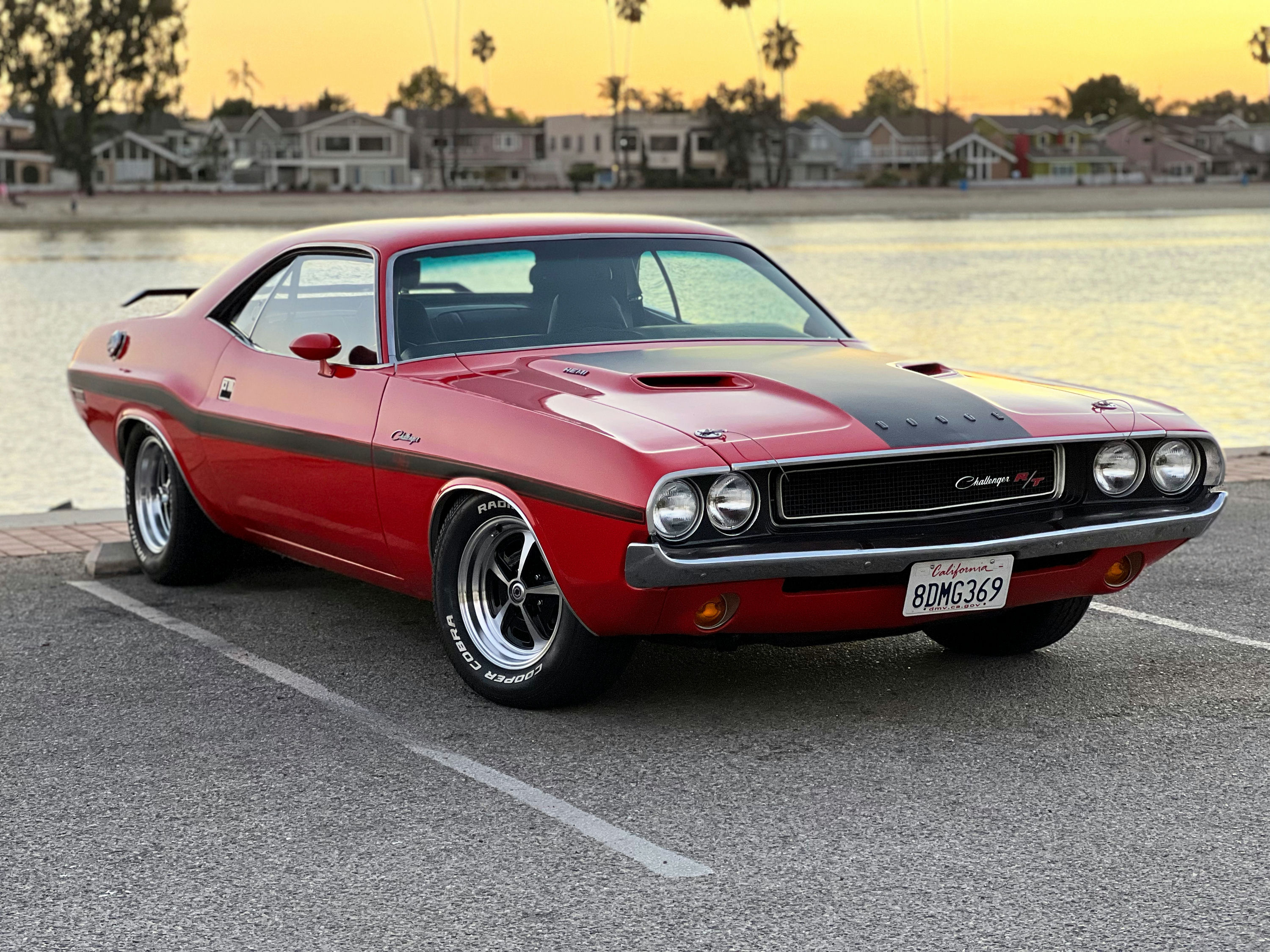
- Model
- 1970 Dodge Challenger R/T
Replacing the brake pads on a 1970 Dodge Challenger R/T is an essential maintenance task that ensures safe and efficient braking. Worn brake pads can cause reduced braking efficiency, squealing noises, and even damage to the brake rotors if not addressed promptly. If you've noticed these signs, it's likely time to replace your brake pads. Here is how to solve this issue.
Step 1: Gather Necessary Tools and Parts
Before starting, ensure you have the following tools and parts:
- New brake pads
- Jack and jack stands
- Lug wrench
- C-clamp or brake caliper tool
- Socket wrench set
- Flathead screwdriver
- Brake cleaner
Step 2: Prepare the Vehicle
Begin by safely parking your Dodge Challenger on a flat surface. Engage the parking brake and chock the rear wheels to prevent any movement.
Step 3: Lift the Car
Use the lug wrench to loosen the lug nuts on the front wheels without fully removing them. Place the jack under the appropriate lifting point of the car (typically found just behind the front wheels) and raise the vehicle. Secure it with jack stands to ensure stability.
Step 4: Remove the Wheels
Once the car is securely lifted, fully remove the lug nuts and take off the front wheels. Set them aside.
Step 5: Locate the Brake Caliper
The brake caliper is located over the brake rotor and is secured with bolts. It is a large, clamping device that squeezes the brake pads against the rotor to slow the car.
Step 6: Remove the Brake Caliper
Using a socket wrench, remove the bolts holding the caliper to the bracket. Carefully lift the caliper off the rotor. Avoid letting it hang by the brake hose as this can cause damage; instead, rest it on a suitable support or hang it securely with a piece of wire.
Step 7: Remove the Old Brake Pads
The brake pads will be seated in the caliper bracket. They can be slid out by hand or with the help of a flathead screwdriver if they are stuck. Note how they are positioned before removing them as you'll need to place the new ones in the same way.
Step 8: Compress the Caliper Piston
Before installing the new brake pads, you’ll need to retract the caliper piston. Use a C-clamp or a brake caliper tool to gently push the piston back into the caliper housing. This creates enough space for the new, thicker brake pads.
Step 9: Install the New Brake Pads
Position the new brake pads into the caliper bracket. Ensure they are aligned correctly and seated properly.
Step 10: Reattach the Brake Caliper
Carefully place the caliper back over the new brake pads and secure it with the bolts you previously removed. Tighten the bolts to the manufacturer’s recommended torque specifications.
Step 11: Reinstall the Wheels
Place the wheels back onto the hub and hand-tighten the lug nuts. Remove the jack stands and slowly lower the car to the ground using the jack. Once the car is on the ground, use the lug wrench to fully tighten the lug nuts in a star pattern to ensure even pressure.
Step 12: Test Brakes
Before driving, pump the brake pedal several times to ensure the brake pads are properly seated and the brake caliper piston is in the correct position. This will restore the correct brake pressure.
Step 13: Road Test
Take the car for a slow test drive to ensure the brakes are functioning correctly. Listen for any unusual noises and make sure the car stops smoothly.
By following these steps, you can effectively replace the brake pads on your 1970 Dodge Challenger R/T, ensuring it remains safe and reliable.