How to troubleshoot fuel delivery issues on a 1969 Oldsmobile 442?
Experiencing fuel delivery issues on a 1969 Oldsmobile 442 can cause rough idling, stalling, or even prevent the car from starting altogether. This issue often arises due to a problem with the fuel p…
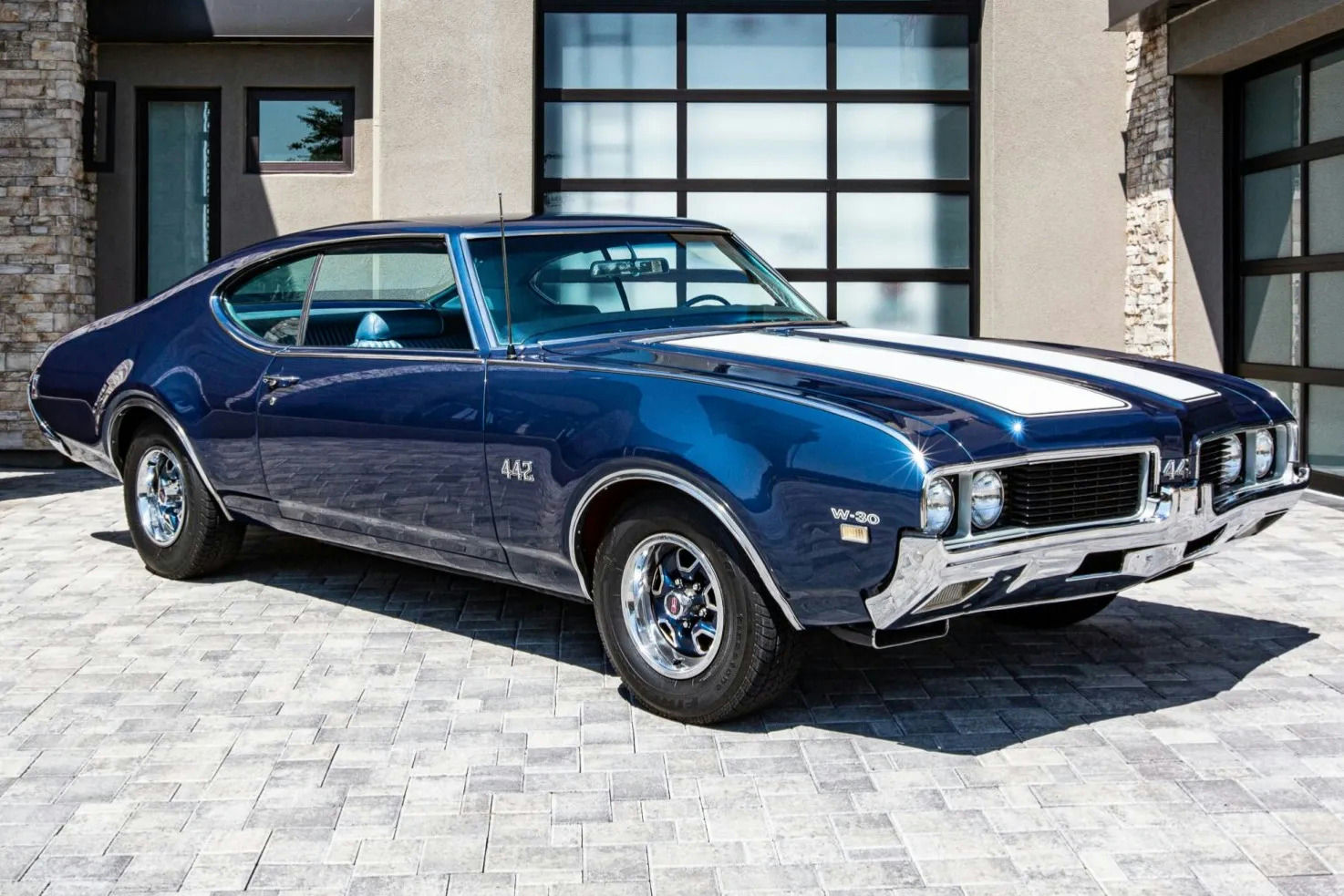
Model: 1969 Oldsmobile 442
Experiencing fuel delivery issues on a 1969 Oldsmobile 442 can cause rough idling, stalling, or even prevent the car from starting altogether. This issue often arises due to a problem with the fuel pump, fuel lines, fuel filter, or carburetor. Proper troubleshooting is essential for maintaining the performance and reliability of your classic car. Here is how to solve this issue:
Join the AutoFame community. Become a member for free, add your car to the garage and tell its story. Join AutoFame.
Step 1: Check the Fuel Pump
First, locate the mechanical fuel pump mounted on the lower part of the engine, typically near the timing cover on the passenger side. The fuel pump is a small metal cylinder with a lever arm and two hoses connected to it. Inspect the pump for any signs of leakage or damage.
To check if the pump is working, you can disconnect the fuel line from the carburetor (use a wrench to loosen the fitting) and place it in a container. Have an assistant turn the engine over briefly; if fuel is being pumped into the container, the pump is working. If not, the pump likely needs to be replaced.
Step 2: Inspect the Fuel Lines
Trace the fuel lines from the fuel tank to the engine bay. The lines run underneath the car alongside the frame rails, typically on the driver’s side. Look for any kinks, clogs, or leaks. A damaged line should be replaced immediately.
To check for clogs, you can blow compressed air through the lines. Make sure the fuel lines are disconnected from both the tank and the fuel pump before doing this to avoid any potential hazards.
Step 3: Replace the Fuel Filter
Locate the fuel filter, which is typically found along the fuel line near the carburetor or fuel pump. On the 1969 Oldsmobile 442, it might look like a small canister with two fuel lines attached.
Remove the filter by loosening the clamps or fittings on either side. Replace it with a new filter, ensuring the flow direction (marked by an arrow) aligns with the direction your fuel flows towards the carburetor.
Step 4: Examine the Carburetor
The carburetor sits on top of the engine, directly centered and atop the intake manifold. It looks like a metal block with various hoses and linkages connected to it. Inspect the carburetor for any obvious signs of dirt, debris, or damage.
If the carburetor appears dirty, you might need to clean it using a carburetor cleaner. Disassemble the carburetor (following a specific guide for your model), soak the parts in the cleaner, and reassemble it.
Step 5: Check the Fuel Tank
Inspect the fuel tank for any signs of rust, dirt, or debris. The fuel tank is located at the rear of the car, beneath the trunk. Use a flashlight to look inside through the fuel filler neck after removing the gas cap. If the tank is dirty, it might require removal and cleaning or replacing.
Step 6: Verify Fuel Pressure
Have a car with a story like this? Become an AutoFame member and share it with people who love cars as much as you do.
Using a fuel pressure gauge, measure the pressure at the carburetor inlet. This will help ensure that the fuel pump delivers sufficient pressure. Follow the instructions on the gauge kit to attach it to your fuel system safely. Typical fuel pressure for a 1969 Oldsmobile 442 with a mechanical pump should be around 4-7 psi.
Summary
By systematically checking the fuel pump, fuel lines, fuel filter, carburetor, fuel tank, and fuel pressure, you can diagnose and fix most fuel delivery issues on your 1969 Oldsmobile 442. Regular maintenance and timely replacement of worn-out parts will ensure your classic car runs smoothly and reliably.
About AutoFame
AutoFame is a home for people who love cars and the stories behind them. Every car on a show field or in a garage has a history: who built it, who saved it, the road trips, the late nights in the shop and the people who helped along the way. AutoFame gives those stories a place to live, so they are not lost when the hood closes or the car changes hands.
Membership is free. Once you join, you can add your car to your own AutoFame garage with photos, specs and the story only you can tell. Restorations, survivors, daily drivers, race cars and family heirlooms all belong here. Other members can find your car, follow its progress and connect with you over the details that matter to car people.
Beyond member garages, AutoFame publishes stories, guides and features on the cars, builders and history that shape car culture. You will find buying and restoration guides, car parts explainers, special editions, the newest models and the classics that started it all. The AutoFame Gallery puts member cars on display for anyone to browse, and the AutoFame YouTube channel adds owner interviews, show highlights and the conversations that happen around a good car.
AutoFame is also built for the people who run car shows. Organizers use it to manage entries and judging, and judges score each car category by category on their phones, with a written guide for every category so nothing gets skipped. After a judged show, owners can see what their car was scored on and how it compared. Shows across the Texas Gulf Coast have run on AutoFame, including the Moody Gardens Car Show in Galveston, Good Grub and Gears, and Keels and Wheels at Lakewood Yacht Club.
AutoFame was founded by Kevin Brady, whose own life in cars began long before he started building tools for the hobby. The idea is simple: the people who love these cars should have one place to share them, learn from each other and keep the stories going.
Whether you own a show winner, a project that is still in pieces or simply love reading about great cars, there is room for you here.
Be part of the AutoFame community. Join free and become a member today.