How to adjust the clutch on a 1971 Dodge Charger R/T?
If you own a 1971 Dodge Charger R/T and have noticed that your clutch feels loose or doesn't engage properly, you may need to adjust the clutch to restore its proper function. Symptoms can include di…
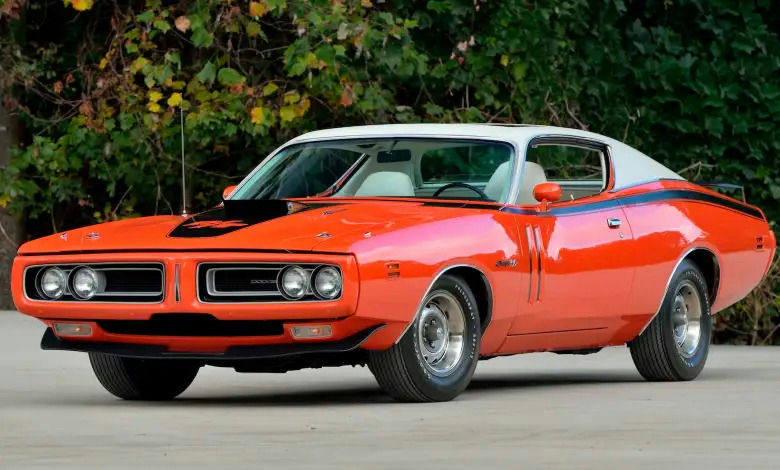
Model: 1971 Dodge Charger R/T
If you own a 1971 Dodge Charger R/T and have noticed that your clutch feels loose or doesn't engage properly, you may need to adjust the clutch to restore its proper function. Symptoms can include difficulty in shifting gears, a spongy clutch pedal, or the clutch slipping during acceleration. Addressing this issue promptly is crucial to ensure smooth and safe driving. Here is how to solve this issue:
Join the AutoFame community. Become a member for free, add your car to the garage and tell its story. Join AutoFame.
Step 1: Gather Necessary Tools and Materials
Before you begin, make sure you have the following tools:
Wrenches (typically 1/2" or 9/16")
Jack and jack stands (optional but recommended for easier access)
Step 2: Locate the Clutch Adjustment Mechanism
The clutch adjustment mechanism on a 1971 Dodge Charger R/T is typically located under the car, near the transmission. Look for a threaded rod with a nut and lock nut, which connects the clutch pedal to the clutch linkage.
Step 3: Jack Up the Car (If Needed)
If accessing the adjustment mechanism is challenging from the ground, use a jack to lift the front of the car and secure it with jack stands to provide better access to the clutch linkage. Make sure the car is stable before working underneath it.
Step 4: Locate the Clutch Fork and Adjusting Rod
Once under the car, identify the clutch fork, which should be a lever attached to the transmission. Connected to the clutch fork is the adjusting rod with a lock nut and adjusting nut.
Step 5: Loosen the Lock Nut
Using your wrenches, loosen the lock nut on the adjusting rod. The lock nut is usually the first nut you come across on the threaded rod.
Step 6: Adjust the Clutch Pedal Free Play
Turn the adjusting nut located after the lock nut to alter the clutch pedal's free play. Turning the nut clockwise will decrease free play, making the clutch pedal engage higher. Conversely, turning it counterclockwise will increase free play, making the clutch engage closer to the floor.
Step 7: Test the Clutch
After making adjustments, press the clutch pedal several times to check for desired free play and engagement. Ideally, you want about 1 inch of free play at the top of the clutch pedal travel.
Step 8: Tighten the Lock Nut
Once the adjustment is satisfactory, tighten the lock nut against the adjusting nut to secure your setting. Ensure it is tight enough to prevent any loosening during operation.
Step 9: Lower the Car
If you used a jack and jack stands, carefully lower the car back to the ground.
Step 10: Perform a Test Drive
After completing the adjustment, take your Dodge Charger R/T for a test drive to ensure the clutch is functioning correctly. Check for smooth gear shifts and proper clutch engagement.
Have a car with a story like this? Become an AutoFame member and share it with people who love cars as much as you do.
By following these steps, you can adjust the clutch on your 1971 Dodge Charger R/T and enjoy smoother driving experience with better clutch performance.
About AutoFame
AutoFame is a home for people who love cars and the stories behind them. Every car on a show field or in a garage has a history: who built it, who saved it, the road trips, the late nights in the shop and the people who helped along the way. AutoFame gives those stories a place to live, so they are not lost when the hood closes or the car changes hands.
Membership is free. Once you join, you can add your car to your own AutoFame garage with photos, specs and the story only you can tell. Restorations, survivors, daily drivers, race cars and family heirlooms all belong here. Other members can find your car, follow its progress and connect with you over the details that matter to car people.
Beyond member garages, AutoFame publishes stories, guides and features on the cars, builders and history that shape car culture. You will find buying and restoration guides, car parts explainers, special editions, the newest models and the classics that started it all. The AutoFame Gallery puts member cars on display for anyone to browse, and the AutoFame YouTube channel adds owner interviews, show highlights and the conversations that happen around a good car.
AutoFame is also built for the people who run car shows. Organizers use it to manage entries and judging, and judges score each car category by category on their phones, with a written guide for every category so nothing gets skipped. After a judged show, owners can see what their car was scored on and how it compared. Shows across the Texas Gulf Coast have run on AutoFame, including the Moody Gardens Car Show in Galveston, Good Grub and Gears, and Keels and Wheels at Lakewood Yacht Club.
AutoFame was founded by Kevin Brady, whose own life in cars began long before he started building tools for the hobby. The idea is simple: the people who love these cars should have one place to share them, learn from each other and keep the stories going.
Whether you own a show winner, a project that is still in pieces or simply love reading about great cars, there is room for you here.
Be part of the AutoFame community. Join free and become a member today.