How to adjust the carburetor on a 1971 Dodge Charger R/T?
When your 1971 Dodge Charger R/T exhibits poor fuel economy, rough idling, or hesitation during acceleration, it may be time to adjust the carburetor. The carburetor plays a critical role in mixing f…
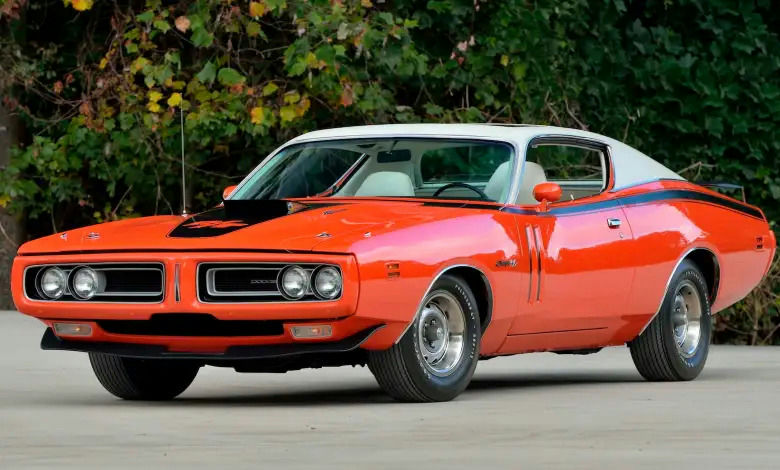
- Model
- 1971 Dodge Charger R/T
When your 1971 Dodge Charger R/T exhibits poor fuel economy, rough idling, or hesitation during acceleration, it may be time to adjust the carburetor. The carburetor plays a critical role in mixing fuel and air to achieve the optimal combustion needed for the engine to run smoothly. Incorrect carburetor settings can lead to an imbalance in this mixture, causing various performance problems. Here is how to solve this issue:
Step 1: Locate the Carburetor
The carburetor is typically found atop the engine block. On the 1971 Dodge Charger R/T, it is centrally positioned, bolted directly onto the intake manifold. The carburetor itself is a metallic, box-like device with various linkages, screws, and a fuel line connected to it. Make sure the engine is off and cool before you begin.
Step 2: Identify the Adjustment Screws
The primary components to focus on when adjusting the carburetor are the idle mixture screws and the idle speed screw.
- Idle Mixture Screws: These are usually located on the sides of the carburetor towards the base. There will be one for each barrel of the carburetor; in a typical 4-barrel carburetor on this model, there will be four of these screws.
- Idle Speed Screw: This can be identified as a single screw usually found near the throttle linkage. It regulates the overall engine idle speed by controlling the position of the throttle plates.
Step 3: Adjust the Idle Mixture Screws
- Use a flathead screwdriver to turn the idle mixture screws.
- Starting from a fully seated (but not overtightened) position, turn each screw outwards by about 1.5 turns.
- With the engine running, adjust each screw slowly in small increments, turning it in until the engine begins to run rough, then out until the highest, smoothest idle is achieved. This ensures that the fuel-to-air ratio is optimized.
Step 4: Adjust the Idle Speed Screw
- Start the engine and allow it to reach operating temperature.
- Attach a tachometer to the engine if the car does not have one built-in.
- Locate the idle speed screw and use a flathead screwdriver to turn it.
- Adjust the screw until the engine runs at the manufacturer's recommended idle speed. For most 1971 Dodge Chargers, this is around 600-650 RPM in "Drive" with the brakes applied or around 850-900 RPM while in "Park" or "Neutral."
Step 5: Recheck and Fine-Tune
- After adjusting the idle speed, recheck the idle mixture screws to ensure all settings are harmonious.
- Make any slight readjustments as necessary while monitoring the engine performance.
- Finally, take the vehicle for a test drive to ensure the adjustments have positively impacted performance and resolve any lingering issues.
By following these steps carefully and patiently, you will be able to properly adjust the carburetor on your 1971 Dodge Charger R/T and enjoy a smoother and more efficient driving experience.