How to adjust the carburetor on a 1970 Chevrolet Chevelle SS 454?
Adjusting the carburetor on a 1970 Chevrolet Chevelle SS 454 can seem like a daunting task, especially when the engine isn't running as smoothly as it should. Symptoms of a poorly adjusted carburetor…
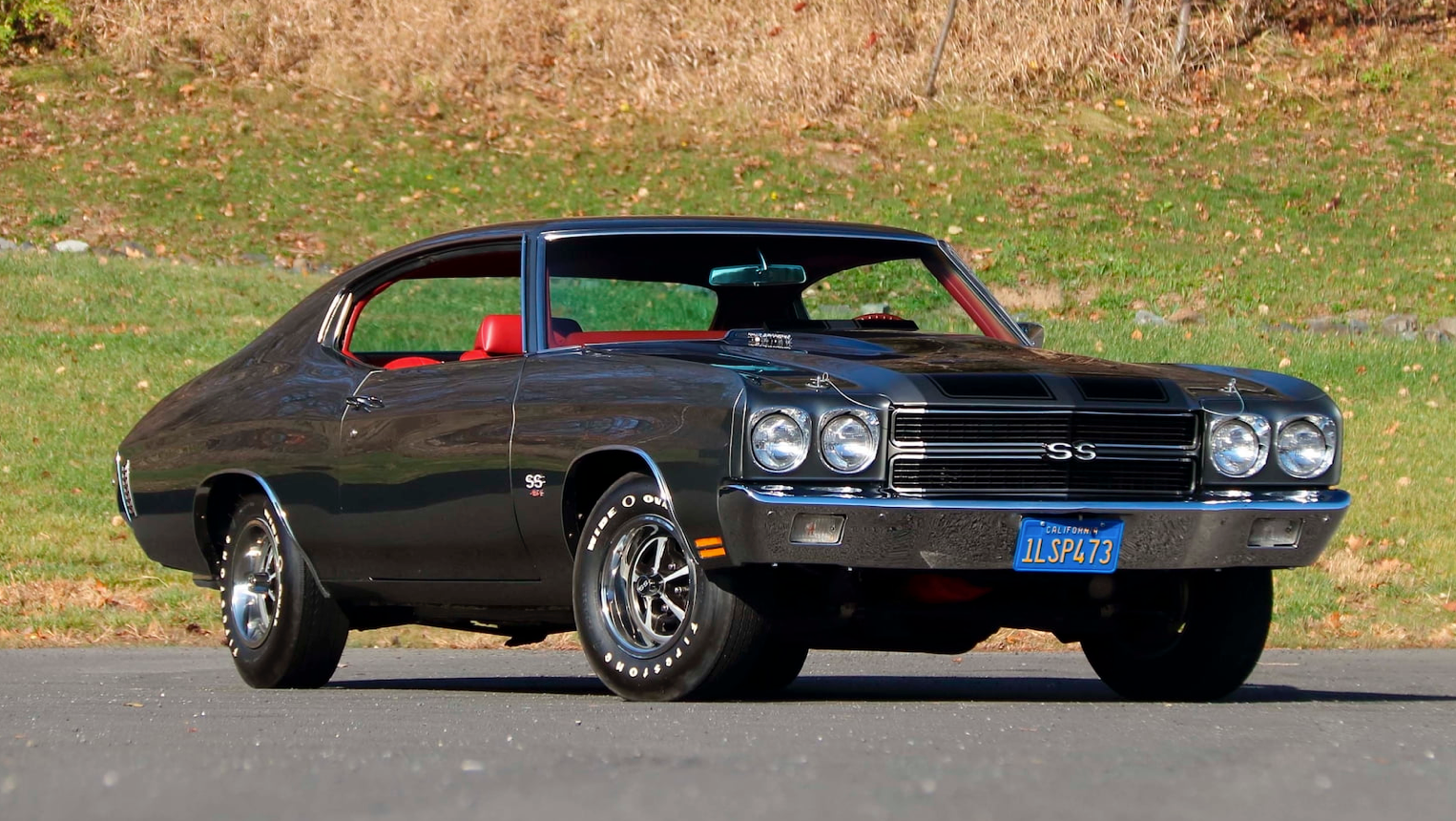
Model: 1970 Chevrolet Chevelle SS 454
Adjusting the carburetor on a 1970 Chevrolet Chevelle SS 454 can seem like a daunting task, especially when the engine isn't running as smoothly as it should. Symptoms of a poorly adjusted carburetor may include rough idling, poor fuel economy, sluggish acceleration, or black smoke from the exhaust. If you are experiencing any of these issues, it’s time to tweak the carburetor settings to ensure optimal performance. Here is how to solve this issue:
Join the AutoFame community. Become a member for free, add your car to the garage and tell its story. Join AutoFame.
Materials Needed:
Flathead screwdriver
Vacuum gauge (optional but recommended for precise tuning)
Step 1: Locate the Carburetor
The carburetor on the 1970 Chevrolet Chevelle SS 454 is situated on top of the engine, directly above the intake manifold. It is a metallic component with various linkages and screws, attached to the air cleaner assembly. Start by removing the air cleaner; it is typically a round, metal piece directly on top of the carburetor, secured by a wing nut. Simply unscrew the wing nut and lift off the air cleaner to expose the carburetor.
Step 2: Identify the Adjustment Screws
The carburetor has two primary adjustment screws: the idle mixture screws (sometimes referred to as fuel mixture screws) and the idle speed screw. The idle mixture screws are usually located on the front of the carburetor, identified by their small size and slotted heads for a flathead screwdriver. The idle speed screw is typically found on the side of the carburetor, connected to the throttle linkage.
Step 3: Adjust the Idle Mixture Screws
Start with the engine off. Turn each idle mixture screw clockwise gently until it stops; do not overtighten as this could damage the screw or carburetor. Then, turn each screw counterclockwise 1.5 to 2 full turns to set a baseline.
Next, start the engine and let it warm up to its normal operating temperature. Once warm:
Place a vacuum gauge on an intake manifold vacuum port, if available. This helps achieve a precise adjustment.
Turn one idle mixture screw slowly clockwise until you notice the engine stumbling or the vacuum gauge dropping.
Then, turn it counterclockwise until you reach the highest, steady vacuum reading on the gauge or the smoothest idle if not using a gauge.
Repeat this process with the other idle mixture screw.
Step 4: Adjust the Idle Speed Screw
Locate the idle speed screw, which can be identified by its connection to the throttle linkage and its larger slotted head. With the engine at operating temperature, use the flathead screwdriver to turn the idle speed screw.
Turn the screw clockwise to increase engine idle speed.
Turn it counterclockwise to decrease idle speed.
Set the idle speed to the manufacturer’s specifications, typically around 750 RPM for the SS 454 when in park for an automatic transmission, or neutral for a manual transmission.
Step 5: Recheck and Fine-Tune
After setting the idle speed and mixture, double-check all settings. Revisit the idle mixture screws and adjust slightly if necessary to ensure the smoothest idle and optimal vacuum reading. Similarly, make any minor adjustments to the idle speed screw to maintain the recommended RPM level.
Step 6: Reassemble the Air Cleaner
Have a car with a story like this? Become an AutoFame member and share it with people who love cars as much as you do.
Once the carburetor is adjusted to satisfaction, replace the air cleaner by positioning it back on top of the carburetor and securing it with the wing nut. Ensure it is tight enough to hold firmly but not overly tight to avoid damage.
By following these steps, you should be able to adjust the carburetor on your 1970 Chevrolet Chevelle SS 454 for enhanced performance and smoother engine operation.
About AutoFame
AutoFame is a home for people who love cars and the stories behind them. Every car on a show field or in a garage has a history: who built it, who saved it, the road trips, the late nights in the shop and the people who helped along the way. AutoFame gives those stories a place to live, so they are not lost when the hood closes or the car changes hands.
Membership is free. Once you join, you can add your car to your own AutoFame garage with photos, specs and the story only you can tell. Restorations, survivors, daily drivers, race cars and family heirlooms all belong here. Other members can find your car, follow its progress and connect with you over the details that matter to car people.
Beyond member garages, AutoFame publishes stories, guides and features on the cars, builders and history that shape car culture. You will find buying and restoration guides, car parts explainers, special editions, the newest models and the classics that started it all. The AutoFame Gallery puts member cars on display for anyone to browse, and the AutoFame YouTube channel adds owner interviews, show highlights and the conversations that happen around a good car.
AutoFame is also built for the people who run car shows. Organizers use it to manage entries and judging, and judges score each car category by category on their phones, with a written guide for every category so nothing gets skipped. After a judged show, owners can see what their car was scored on and how it compared. Shows across the Texas Gulf Coast have run on AutoFame, including the Moody Gardens Car Show in Galveston, Good Grub and Gears, and Keels and Wheels at Lakewood Yacht Club.
AutoFame was founded by Kevin Brady, whose own life in cars began long before he started building tools for the hobby. The idea is simple: the people who love these cars should have one place to share them, learn from each other and keep the stories going.
Whether you own a show winner, a project that is still in pieces or simply love reading about great cars, there is room for you here.
Be part of the AutoFame community. Join free and become a member today.